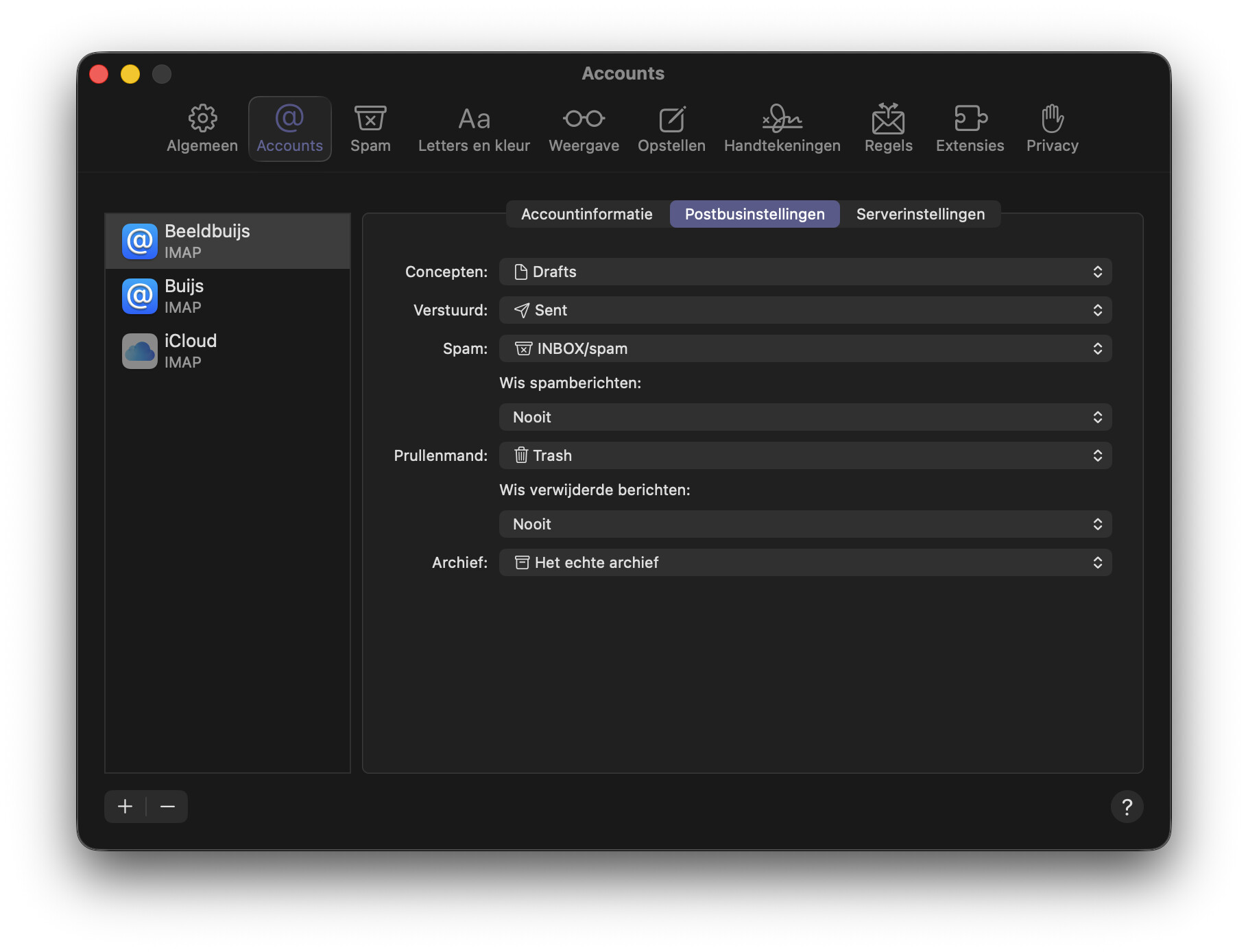
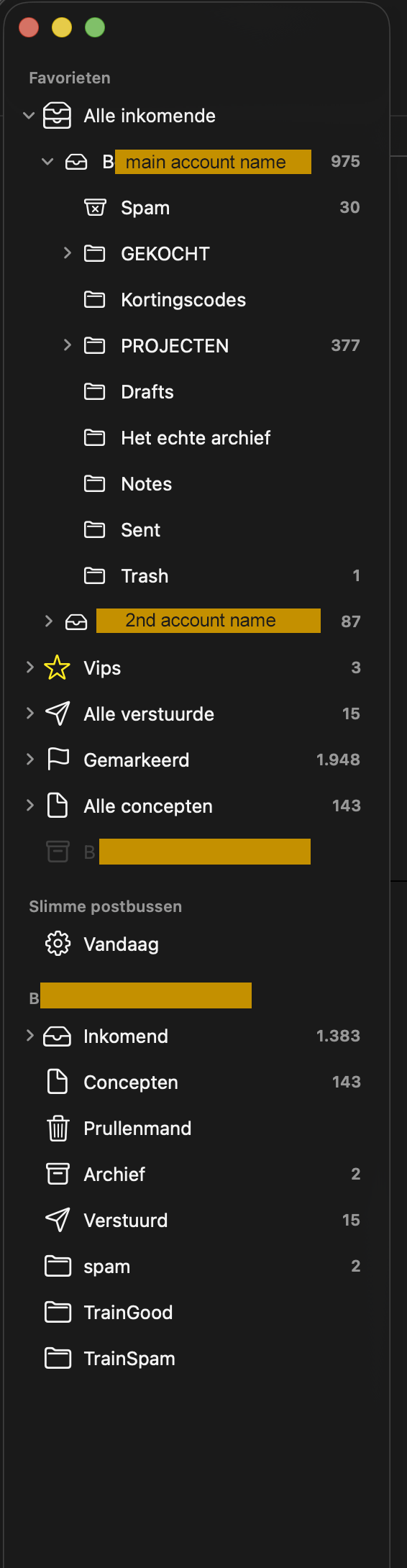
I just updated to macOS 26 and right after that activated the option in SpamSieve > Settings > Apple Mail > Training > Train messages in TrainSpam and TrainGood. Immediately, the TrainSpam and TrainGood mailboxes were set up in Mail and appeared in the list of mailboxes:
However, when I move a message on my iPhone, I didn’t see the TrainSpam and TrainGood mailboxes in the list of mailboxes.
I read the SpamSieve Manual on this part, but couldn’t find what I’m missing. I’m using the latest versions of SpamSieve, macOS 26, Mail, iOS and use a recent iPhone, Mac.
The iPhone had the prefix /INBOX set in the settings, macOS Mail has set the spamfolder to INBOX/spam. This was needed in the past to add the Spam folder in iOS Mail to the options, so I could choose that.
However, this seems changed? In the past, I have more than once tried to unravel the mysteries of IMAP mail. Though I usually get to a workable point, I never felt like I got to the bottom of it all.
While writing this forumpost, describing the problem, analyzing it more and more, I removed the INBOX prefix from the iPhone Mail settings and the folders became visible again.
Is this a me / n=1 problem or has something changed in how macOS / iOS Mail handles /INBOX?
I don’t think this really has anything to do with SpamSieve or Mail. It’s just standard IMAP that if you set the path prefix to a subfolder it will hide all the mailboxes that are not in that subfolder. It’s important to have the path prefix set the same way on all devices.
I just discovered that (probably) because of me deleting the the /INBOX prefix in the preferences (or maybe because of the recent iOS 26 update), iOS Mail didn’t show my ‘custom’ / self-created (sub)mailboxes any more.
It did however show the trainSpam folders correctly and without me having to activate them first.
If you have the prefix set to INBOX, that will hide everything outside of the inbox. When you remove the prefix, the mailboxes that used to appear at the top level will now appear inside the inbox.
Btw
I’ve been struggling for years to synchronize the ‘special’ imap mailboxes like Archive and Spam synchronized on my Macs and iPhone, but I it never 100% succeeded. Every ~6 years I buy a new iPhone and try again. There doesn’t seem to be definitive guide how this works. If you know one, please mention it.
I’m a longtime SpamSieve user (and advocate ) and much appreciate the trainSpam feature.
If I recall correctly, at some point in the past, the Dutch localization of macOS Mail would create and use a mailbox named ‘Archief’ – which is Dutch for ‘Archive’ – to archive mail, and use that instead of the default imap ‘Archive’ mailbox. The iOS version would keep using the mailbox Archive instead of Archief.
(I know that a a deeper level, it’s just mails being labeled to this or that ‘folder’ but this is how it looks in de GUI, how I experience it, as a user.)
In on my iPhone, both folders would be displayed as ‘Archive’, adding to the confusion.
At the time, I couldn’t get that aligned, no matter what I tried, so eventually, I just gave up.
At some point though, it became possible to set a custom archive mailbox on the iPhone. Since I still couldn’t get both iOS and macOS Mail apps to use the same Archive box, I created a mailbox called ‘Het echte archief’ – which is Dutch for The real archive – and set it as the archive mailbox on all devices.
On my iPhone, iOS Mail now indeed puts mail that is ‘swiped to archive’ in ‘Het echte archief’. Also, on macOS, the Dutch version of Mail now shows the Archive box as ‘Archief’.
However, on both my (now Tahoe) macOS machines (M3 Studio and M4 MacBook) Mail keeps using the ‘default imap Archive’ folder for archiving mail, even though in the macOS Mail preferences, I’ve set the Archive to the mailbox called Het echte archief.
It’s even weirder. On both the Mac and iPhone, the Archive mailbox is set to the Het echte archief mailbox. On the Mac however, the archived mails can be found in the mailbox named Archief (Dutch for Archive), while on the iPhone, the same archived mails can be found in the mailbox named Het echte archief.
Just to be clear: Both Mail apps show both the Archief and Het echte archief mailboxes, but those boxes have different contents.
 ) and much appreciate the trainSpam feature.