Starting this year I’m getting hammered with a lot of repetitive spam. That is, they all claim to be from a handfull of businesses - Costco, BlueCross, Omaha Steaks, Marriot and Delta.
I train all of them and have for months and they’re still getting through.
I was going to send a sample, but went through the docs to see what else I could do first (It’s a lot of work to be a customer here.)
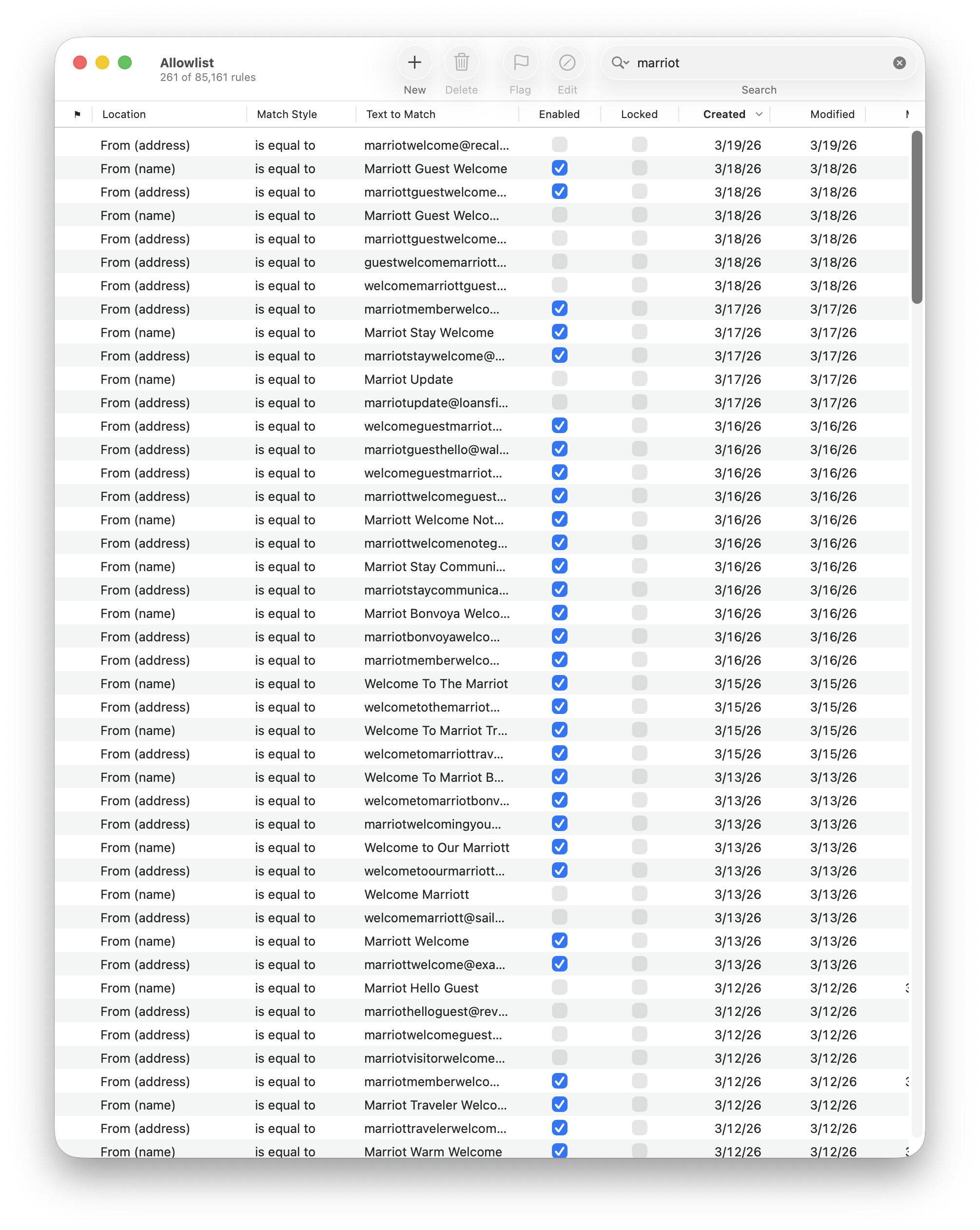
I notice that all of the ones getting through get their email addresses get added to the Allowlist.
It’d be nice I could update a selection of Allowlist entries at once. I can delete them at once, but that’s not recommended. It’d be nice if I could disable them..
The email addresses don’t duplicate, so they’re just noise in any case, so I’m going with delete for the moment.
You shouldn’t need to change anything in the Allowlist because training the messages that get through as spam will automatically disable the rules. If you’re seeing the rules as enabled in the Allowlist, that means they were not trained. So probably the reason the spams are getting through is that SpamSieve thinks many of them are good and that you want to see more like that.
Disabling or deleting allowlist rules would hide the problem, not fix it. It’s important to either correct all the mistakes (by training) or turn off auto-training. You can fix old messages by going to the Good Messages section of the Corpus window and training any spammy messages there as spam. (This will not necessarily disable all the spammy rules, because some of them came from messages not in the corpus, but at least it will improve SpamSieve’s analysis of the message content.)
Me too. Tell me I’m paranoid (“You’re paranoid), but since installing SpamSieve I’m getting 100s of emails from Costco, AAA, Tractor Supply, FedEx, Marriot - same as you. I’d never got junk from these before??? Is SpamSieve trying to sell itself by flooding my email account?
I have also been having this same issue. I’ve notice that Spamsieve rates them as 27 less spammy, but the server filter marks them as junk. I’ve changed my settings on the server side filter to move the email it considers junk to the junk folder instead of relying on Spamsieve to catch it as I have done in the past. There are just way too many Costco (with or without a Zero in place of the letter O), BlueCross, Omaha Steaks, Marriot and Delta spam messages Spamsieve is not catching.
I did check the log and I believe I found the original allowlist for them, but I should probably check again in both the log and corpus.
What I find is that the spammer sends out a batch of emails, and Spamsieve checks the first one and on all these false negatives they have a default score of 27:
Summary: SpamSieve’s Bayesian classifier predicted this message to be Good based on a statistical analysis of its content.
Score: 27 (0 is least spammy; 100 is most spammy)
Then an allowlist is created and all the other emails get marked as good, which fills my inbox.
If you find the Words listed in the log for the ones with score 27, you can search good corpus for the spammy words to find which other messages had them and train them as spam if necessary. This is described more at the link above.
I have been using SpamSieve for years, probablywell over 10/ Recently it has been getting worse and worse. So I looked around. If found 18,000 rows of ruls in the Allowed section, most to allow the above spammers. So I just deleted nearly all of them, I do not have the time to work out what has gone wrong. I have also turned auto=training off. I do hope things will start toget better.
And the new Categories in Apple Mail confuse me further as most of them re just full of spam, hundreds of rows of the stuff. I do not know what to do with categores other than Primary.
It sounds like SpamSieve made some mistakes long ago, and you didn’t train the spam messages in your inbox as spam. Over time, not correcting the mistakes made the accuracy get worse and worse, and now there are thousands of spam messages that it thinks are good.
If you don’t have time to go back and fix the old messages, you should reset everything and retrain SpamSieve as described at the bottom of this page. Deleting the bad allowlist rules will not fix the problem and end up wasting more of your time.
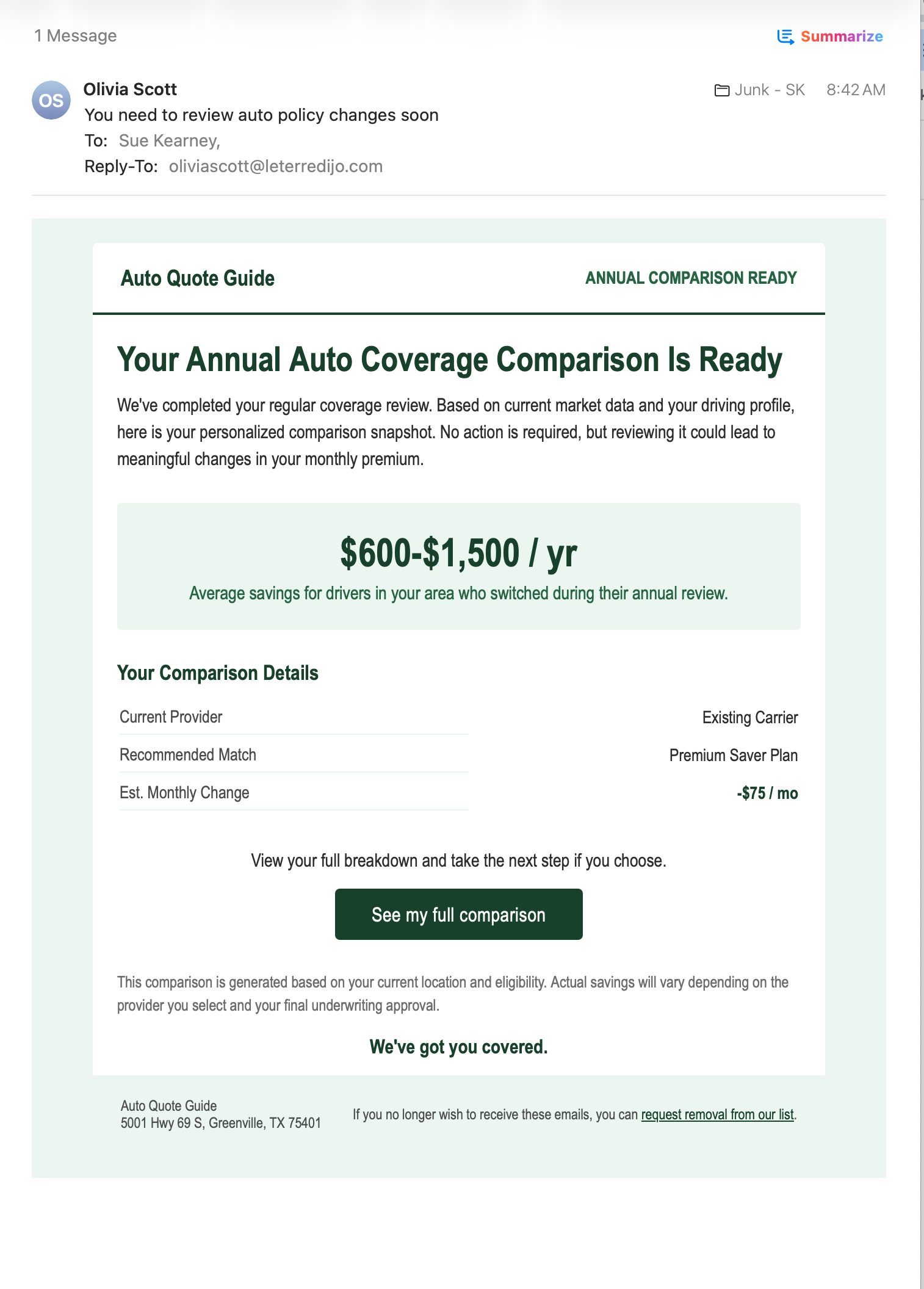
I had been getting the Costco, Omaha Steaks, Ace Hardware, and similar spam discussed in this thread. Yesterday and today, though, I’ve been seeing a new batch of auto-insurance spam reaching all three of my mailboxes.
These look somewhat different. The sender display names are ordinary human names—such as “Ruth Flores”—rather than recognizable company or brand names.
The messages arrive under different sender names and at different inboxes, sometimes around the same time. The bodies look the same or very similar, although I haven’t compared them closely because I don’t read them beyond what Apple Mail displays. I’ve attached one representative screenshot.
I’m using Apple Mail with SpamSieve 3.3.1 and training each one as spam, but new versions continue reaching my inboxes.
I had also been using my host’s server-side SpamAssassin filter, but yesterday I turned it off so that SpamSieve would be the sole filter, following the general recommendation not to run both.
I noticed that another person in this thread found that the server-side filter caught these messages even though SpamSieve did not. For this particular flood, is using the server-side filter together with SpamSieve a reasonable compromise, or would you still recommend leaving the server filter off?
It seems likely that this person had a training problem, but I don’t know for sure because he didn’t follow up.
It’s fine to use a server filter so long as you accept the risks. Regardless of whether you’re using a server filter, I still recommend checking the SpamSieve training.