I recently upgraded my MacBook OS and am using the newer method of SS communicating with AppleMail (Plug-in?? extension?? don’t know which). After the OS update and then getting the most recent SS it appears that SS is setting the green flag. I use that for other things and I would like it to stop.
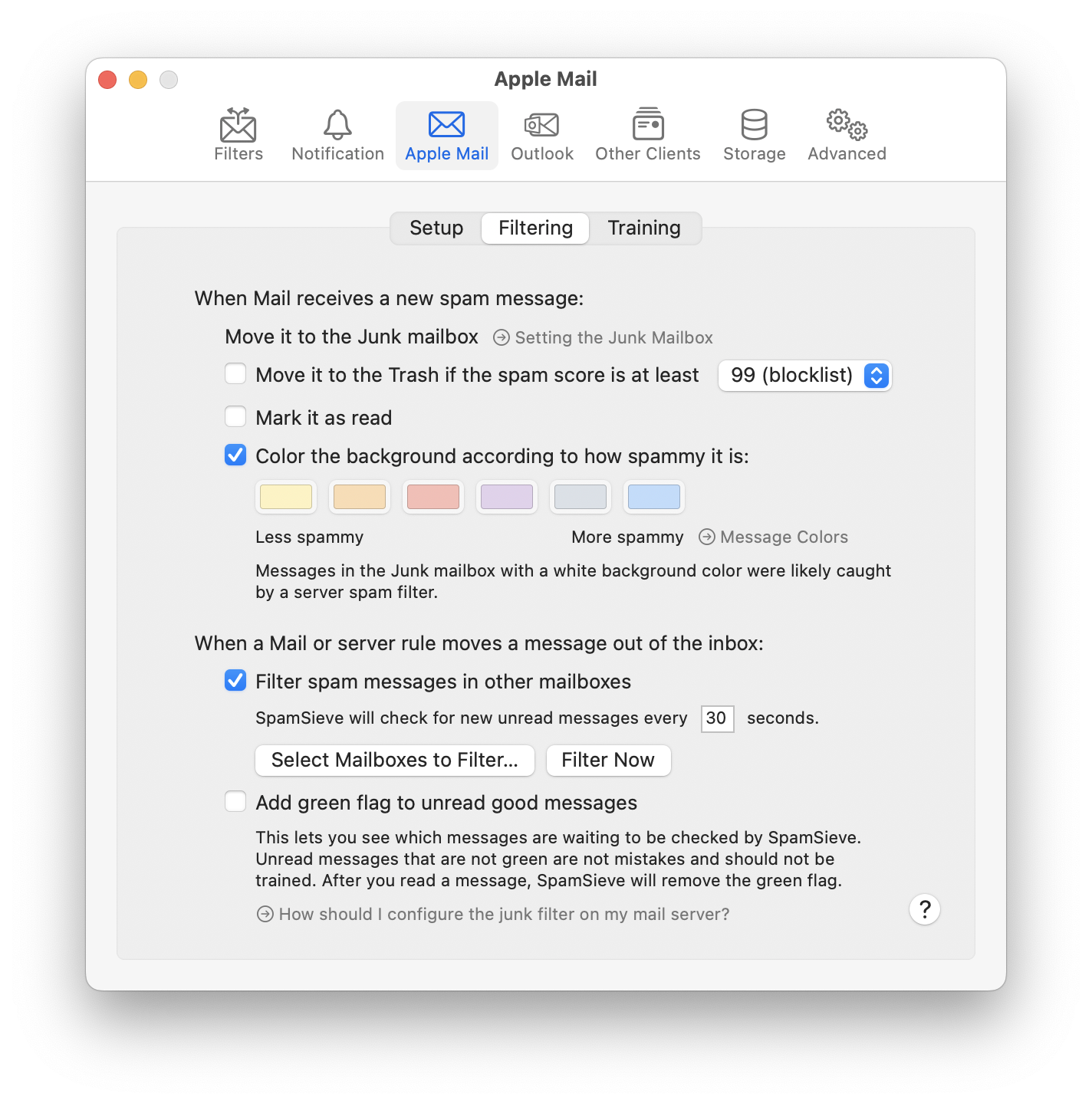
I looked in the SS AppleMail settings where I expected I might see an option but could not find anything that would allow me to change it. Can I deactivate that feature?
It’s here at the bottom:
3 Likes
I think I’d like it if I could set the colour of the text entry (with both options: text or background) like with filter rules … that would be wonderful 
Can I make this a wishlist entry?
I don’t think Mail allows either Mail extensions or AppleScript to do that.
1 Like
OIC, that’s sad … thanks!
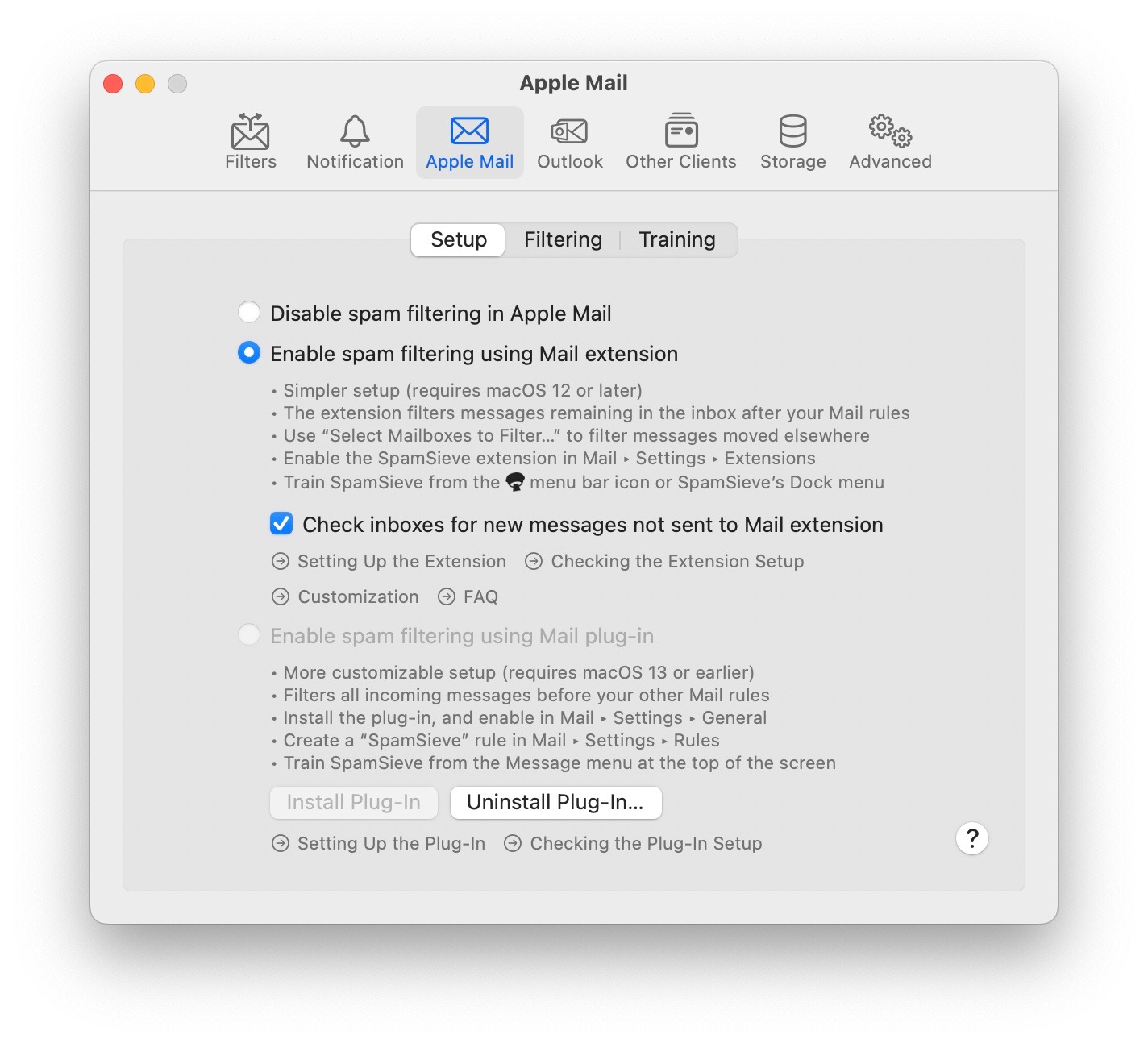
OK, so I looked at it again and realized that I was not looking at the “Filtering” sub-tab.
I found the box and cleared it.
You could submit it as a feature request.
1 Like
That’s because you have not clicked on “filtering”. When you do that the check box will be there…
What do you mean by “load” and how long is it taking?
Thanks, @Michael_Tsai, after thinking about it again, I realized that the green flag is actually better, as I am using the coloured text (resp. backgrounds) for other purposes.
Took me a while to find the green flag feature, unwanted flagging mystery solved, thanks.
However, the settings page says that SS will remove the flag once the message is read, but this doesn’t happen most of the time. My trash folder will accumulate dozens of flagged messages a day.
If you uncheck Add green flag to unread good messages, SpamSieve won’t add or remove the flag.
Do you think this is related to SpamSieve? It doesn’t seem like it to me because SpamSieve only flags good messages, not the spam ones it moves to Junk/Trash, and it sounded like you turned off the flagging feature, anyway.