I put a filter in gmail not to spam it but there is no filter not to trash it. This only happens to mail from one address and I have no idea how to fix it. This seems to be independent of SpamSieve, but SpamSieve seems to solve everything else!
If I drag it to the inbox or the archive box it eventually gets sent back to trash. The address is avoidablecontact@substack.com. Other mail from substack comes thru fine. Is there something I can do in gmail to prevent this?
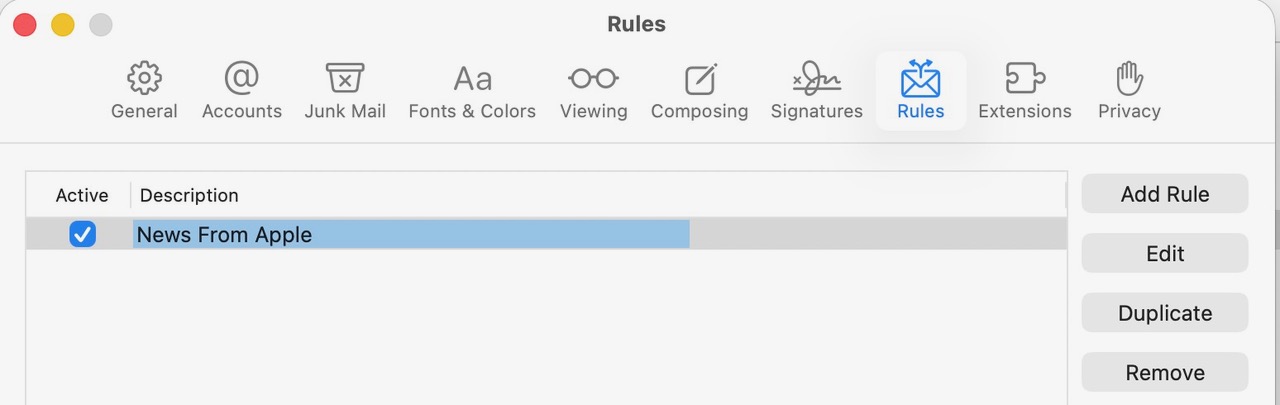
I don’t think Gmail normally trashes any messages on its own, only if you had created filters to do that. Have you checked Apple Mail’s settings to make sure it has no rules that trash messages? It could also be caused by rules from a mail client on another Mac or PC.
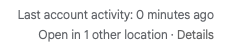
I mean on the Gmail site it should be able to show what’s accessing your account. If the only thing listed there is Apple Mail on your Mac, which doesn’t have any problematic rules, then I guess the issue is with Gmail itself.
This is getting weirder. I got this reply from the Gmail community:
…after a while it will go back to trash.
That’s an important clue because Gmail can’t move messages around like that. That means it’s being done by something you have connected to your account.
It’s probably a filter or blocking you have setup in Apple Mail.
I messed with it too many tines to tell. It looks like it predicted it was good but I kept trying to train it as good, so I don’t know. I should get another mail next week and I’ll try to check the log before doing anything.
If there’s no log entry at all in SpamSieve, that means it was already removed from the inbox before SpamSieve could see or process it. So either an Apple Mail rule (I know you said you had none), a Gmail filter, or some other mail client accessing the account.