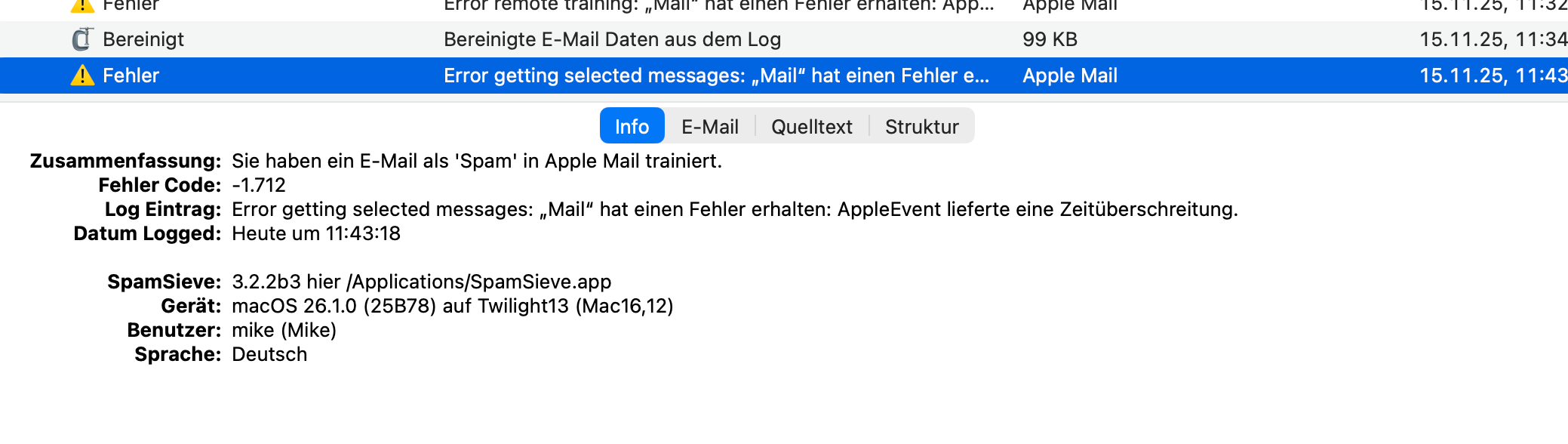
Running latest beta for 3 days.
Suddenly new mails are no longer marked green although the SS option is active.
Also spam mails are not moved.
SS extension in Apple Mail is active.
Any idea what is causing this behavior?
Thx
Mike
Running latest beta for 3 days.
Suddenly new mails are no longer marked green although the SS option is active.
Also spam mails are not moved.
SS extension in Apple Mail is active.
Any idea what is causing this behavior?
Thx
Mike
Please see this page.
Thanks @Michael_Tsai ,
I did not change any settings and the combination of Apple Mail and SS was working perfectly, even during beta phase.
That’s why I was wondering.
Thanks for the page reference, all settings are as suggested.
It seems that starting SS prior to Mail does help (at least first impression now).
I’ll let Apple know about the bug, just strange that I did not encounter it before.
one more thing, might be a trigger for you.
When I manually select Spam mails, I am now getting this error -1.712
This was working before.
That is strange that nothing changed and yet things stopped working…did you update macOS?
If launching SpamSieve first makes a difference, that suggests that the settings are not correct. If you send in a diagnostic report I can investigate further.
This looks like a separate Tahoe bug. Please see the workaround here.
Thanks for sending the diagnostic report. It looks like the settings were not correct. You have Disable spam filtering in Apple Mail selected here:
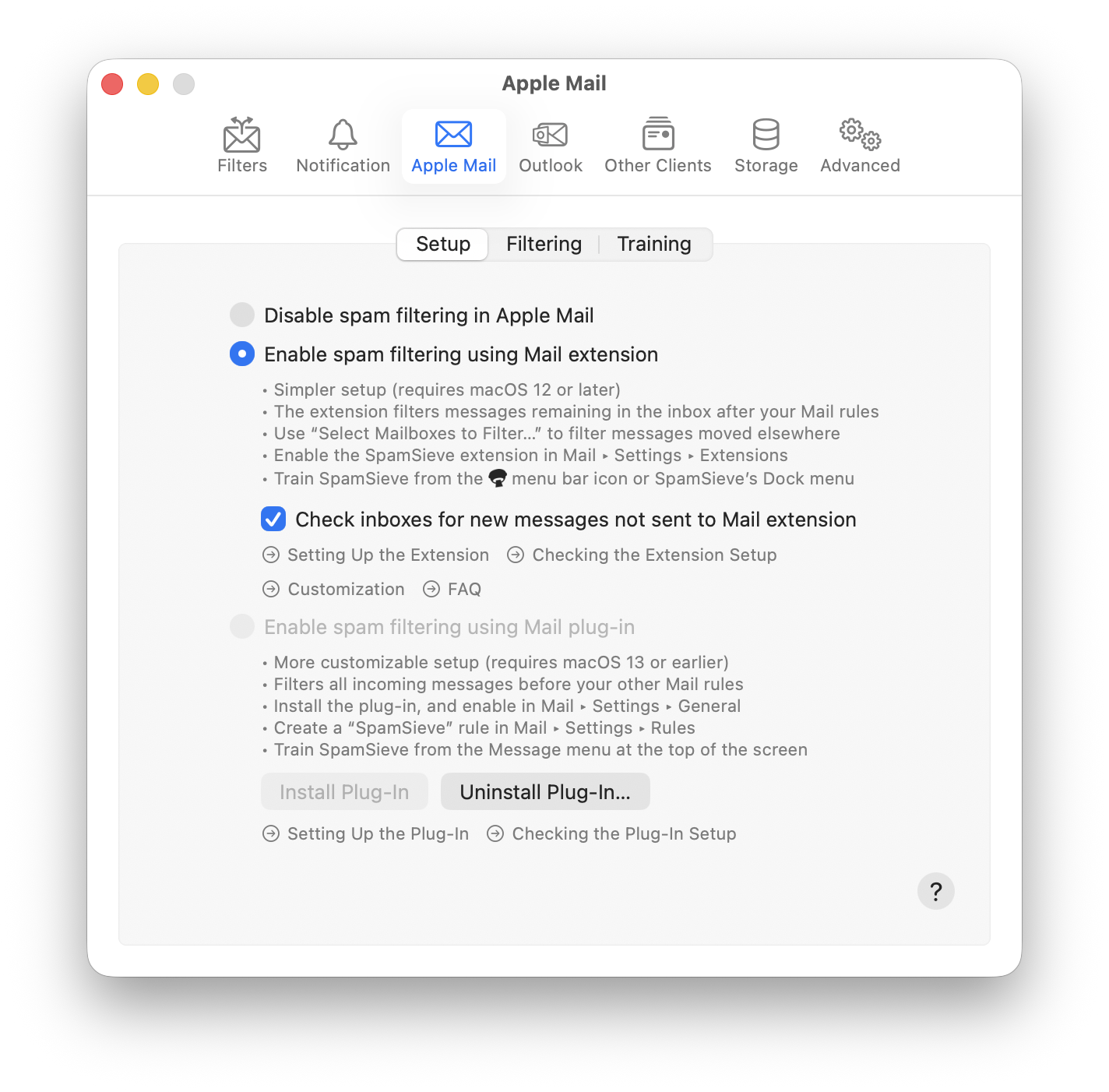
so, in other words, SpamSieve was turned off, which explains why it wasn’t doing anything.
Hi Michael,
Thanks for checking so swiftly.
I guess my brain totally messed it up.
I activated SS for Apple Mail again and first impression looks good again.
I’ll wait for further spam mails
Sorry for causing any trouble
Cheers
Mike
looks good now (again)