Migrate and Upgrade in one step or two?

I’m way overdue to migrate SpamSieve to a new machine and wonder if I should break it into two steps.

Old Machine: 2012 MacBook Pro running 10.12.6 Sierra and SpamSieve 2.9.5
New Machine: 2021 M1 Max MBP running 13.7.6 Ventura

I’m thinking I should:

  1. Install 2.9.5 on the new machine (It still works on 13.x but not 14.x, yes?)
  2. Migrate my database from the old machine to the new one
  3. Once that’s working, THEN upgrade to SpamSieve 3.x
  4. After all that, I can think about upgrading MacOS itself in time

Questions:

  1. Where to I download v2.9.5?
  2. How do I do step 2 - Moving the SpamSieve database from one machine to the other?

Correction, 2.9.50 not 2.9.5

To copy the files, please see this page. I don’t see any reason to install the old version first, but if necessary you can get 2.9.52 here.

1 Like

Well, I’ve done the first two steps and all seems to be OK except SpamSieve isn’t catching any spam. I have to manually identify every one. When I ask it to Show Corpus, it shows all the stuff brought over from the old machine, but doesn’t appear to be identifying anything on it’s own.

Are you using Apple Mail? If so, please check the setup.

Yes, Apple Mail. This setup is still at 2.9.52 at the moment, so it’s the Plugin and v3.x is an extension, or do I have that backwards?

Yes, it’s the plugin, but the settings don’t look like the Help File example

I launched Mail on the old machine, and SS catches stuff this installation is not, so it’s something with this installation. Maybe a clean uninstall/reinstall of 2.9.52 or just skip it and move on to 3.x anyway.

Yes. With macOS 13, SpamSieve 3 can use either the plug-in or the extension.

The SpamSieve 2 instructions are in the Help menu and also here.

I would just set up 3.x.

That’s my ultimate goal anyway. I just thought getting there in baby steps would be less trouble prone, but I guess not. Would a full uninstall and clean install be a good idea?
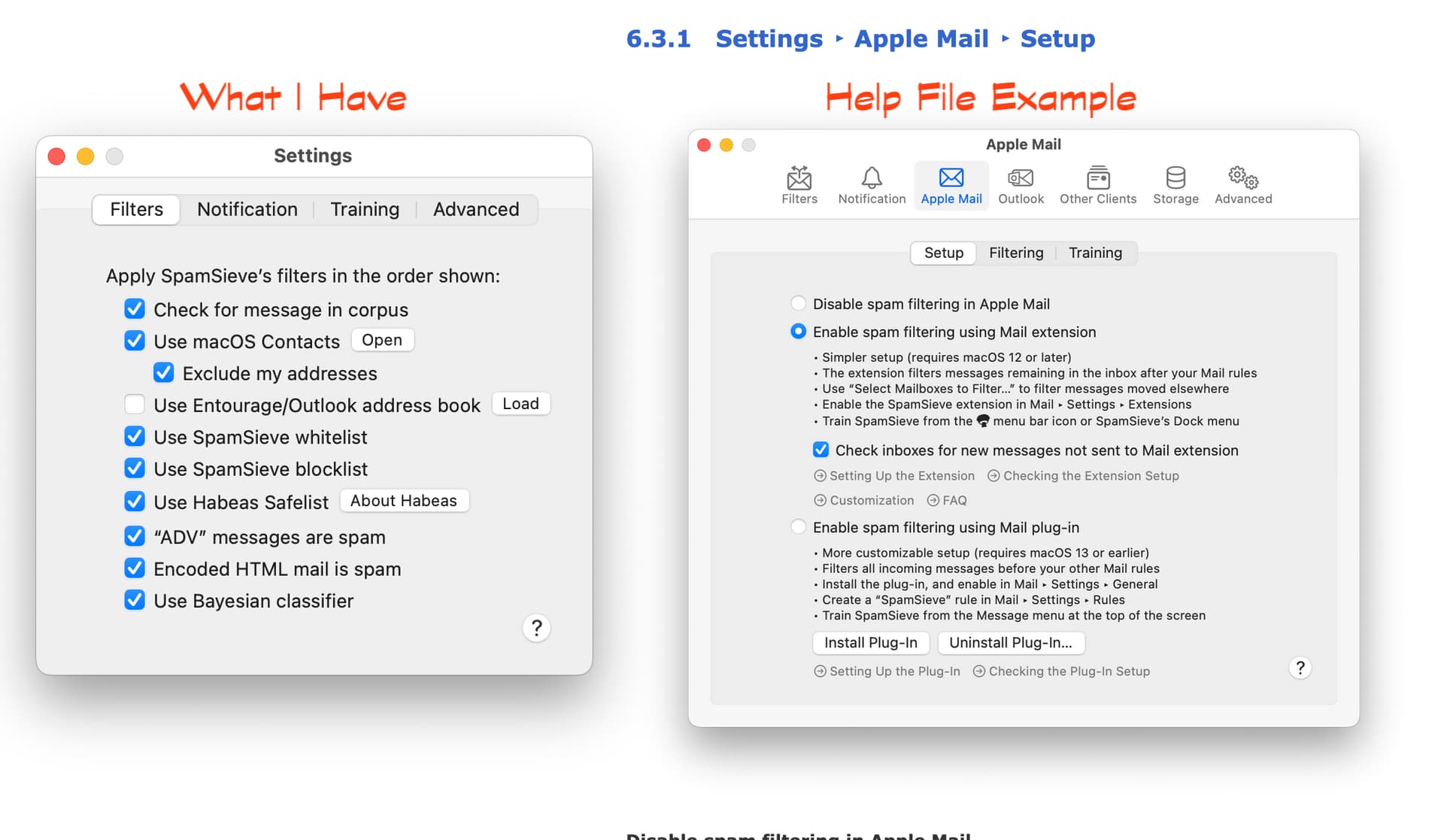
No, I would just follow the instructions to set up 3.x.

1 Like

3.1.3 appears to be up and running OK for about a day, so I guess it worked out. Just need to pay for the upgrade key. Thanks so much for the help.

1 Like