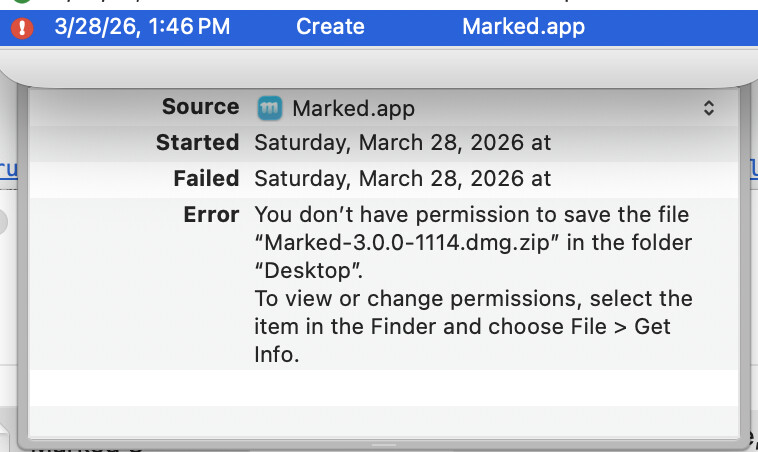
When I actually drop an app onto DropDMG, it generates a DMG file on the Desktop (alongside the .app bundle), but when I try to do it with dropdmg, I get
Error: You don’t have permission to save the file “Marked-3.0.0-1114.dmg” in the folder “Desktop”.
Why would this be? I’ve tried adding all kinds of things to Full Disk Access, including DropDMG, iTerm , the ruby that’s executing the script, and the dropdmg binary itself. Nothing seems to get me around this error (including trying other directories).
I think there must be some other difference there because the command-line tool just queues jobs with the main app. The same operation should work the same way no matter how you imitate it. It’s the permissions of the DropDMG app that matter.
You could try checking Always run with root access in the settings, though I wouldn’t expect that to be needed in this case. Is it only the Desktop folder that has this problem?
Do other formats like .zip or .tar work differently?
You don’t have permission to save the file “Marked-3.0.0-1114.dmg.zip” in the folder “Desktop”. To view or change permissions, select the item in the Finder and choose File > Get Info.
Using dropdmg to create files on the desktop works for me with macOS 26.4. There was an older beta where HFS+ was broken, but it looks to me like 25E246 is the release version.
I’m curious why it’s trying to create the file Marked-3.0.0-1114.dmg.zip because DropDMG does not apply .zip on top of .dmg. What is the exact dropdmg command that you’re using?
Ah, the .zip was just because I was testing with zip but the calling script was still creating a .dmg filename. When the config is just DMG zlib, it gets the .dmg filename right. I wonder if that’s where the problem is, though, somewhere in the script changing the filename.
Solved it. My script was passing a full path to -b instead of just a filename. If I exclude the path and let the config place the result next to the app, it works fine. Sorry for the trouble!