Ive been using SpamSieve for a number of years now and it’s great, but recently had a Mac die and had to re-setup, so lots of re-training.
I have one specific batch of emails that keep coming in constantly and I have both the address “From (name)” and “From (address)” both trained manually as new rules to pick both of these up. But they just keep coming in and not filtering out. Also, not sure if it’s relevant, but in the blocklist window, it shows the “Correct” and “Incorrect” columns showing as all zero. As I have manually pushed through all those so far as “Train as Spam”, should these not have identifying numbers of blocked spam against them?
You should check the Log window to see whether SpamSieve is predicting these messages to be good (it will say why) or not looking at them at all (indicating a setup issue).
This is not relevant because these columns track when a blocklist rule matches whether it classified the message correctly or not. But your issue seems be that the blocklist rules are not matching in the first place.
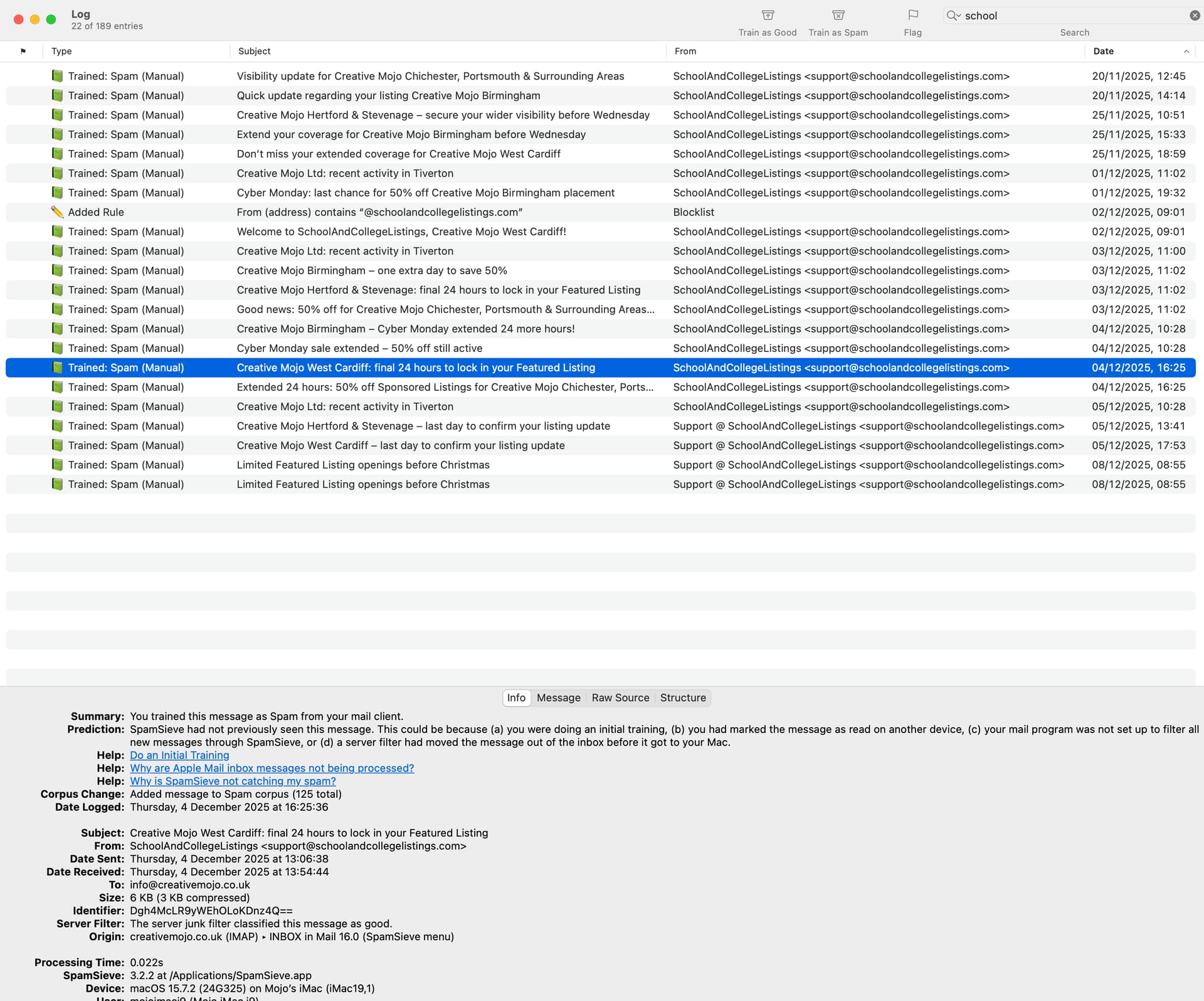
Looking in the log, it suggests that “SpamSieve had not previously seen this message.”, however as you can see from this screenshot, there are a number of previous entries from the same email address.
You are saying that you trained a bunch of messages from the same address as spam. (And you also manually created a blocklist rule, which is probably redundant given that training.)
The log is saying that SpamSieve didn’t examine any messages in the inbox from that address to determine whether it thought they were spam.
So, like I said above, this points to a setup issue. It could be as simple as having filtering turned off. There are Help links in the Log window (shown in your screenshot) that point to how to investigate this.