Hello Michael, This is an interesting subject we all have to deal with now. Before 3 pm today, my junk mail already has 195 messages. The comon denominator among them is no longer the address they were sent from. It seems to me (and I’m sure you’ve already considered thsi) that those in the ‘business’ of ‘spamming for cash’ have created an algorithm which automatically changes the spoof address each time a new piece of junk is sent to any individual - and therefore spam detection can’t rely on the sender’s email.
So there are 2 components in each spam mail now - the sending address and the subject matter being discussed.
So my question is can you develop - or have you already developed a way of concatenating each client’s personal email addresses with subject matter that does not involve them - such as accounts that they don’t have with American Express, McAfee, Sam’s Club, Miracle _Brand, MyLowes, Tractor Parts, etc, etc. And with this form a more accurate way of detecting the junk based on each individual’s purchasing habits?
If you’ve alredy done this (and I wouldn’t be surprised) - please just tell me how to add a list of people I don’t buy from to my detection profile.
This has been going on for 25+ years and is one of the reasons I created SpamSieve in the first place.
Training SpamSieve will do this automatically. It will learn that certain businesses are associated with spam and others aren’t. This is one of the advantages of having the corpus personalized to you rather than based on data pooled from multiple customers.
Before 3 pm today, my junk mail already has 195 messages.
Did SpamSieve catch them automatically?
Yes it did, but not all of them. There’s a body of spam now that I think must come from the Dark Web. It’s different from the old Spam. And I can send it if you wish to take a look.
This has been going on for 25+ years and is one of the reasons I created SpamSieve in the first place.
Understood. But something seems not to be working now - and I think it may be coming from the ‘smarter’ spammers.
Let me know and I’ll send things to you which fit into this category. I’m not complaining. Just trying to help - all of us.
Please go to SpamSieve’s Log window and flag some of the messages you’re referring to. Then use the Save Diagnostic Report command in the Help menu and send me the report file, as described here. It would also help if you could report some of the problem messages by dragging and dropping from the Log window into the e-mail with the report. Then I can look into whether there’s a problem with how SpamSieve is processing the messages or what else might be going on.
Here’s the diagnostic report. And several of the actual emails attached below. Thanks for looking.
What I think they have in common is that they refer to companies like Costco where I have an account, but they’re not from Costco. right they just come from places like nAmerican Express or McAfee where vI don’t have an account and the presence of my name may allow the to bypass SpamSieve? And some of them have my name in the reply address or secure.net.
Thanks for the report. I did not receive any attached e-mails. Please send the attachments to spamsieve@c-command.com rather than the forum for privacy reasons.
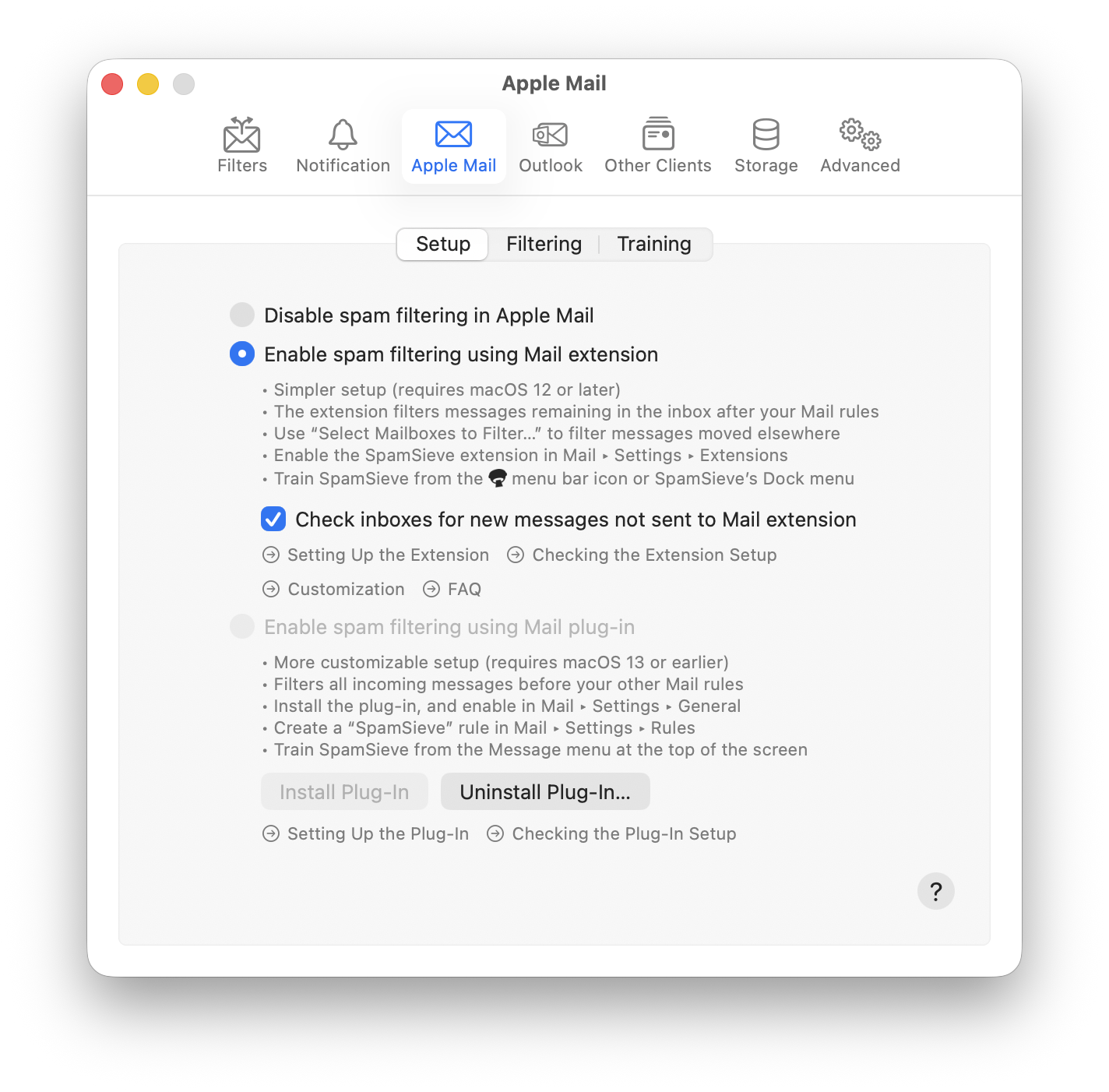
Looking at the report, it turns out that none of the messages that you trained as spam are SpamSieve mistakes. It looks like filtering is simply disabled here:
Update - I’m going slowly and accurately through the processes you suggest for mail setup. You’re right - mine was wrong I’ll send emails as soon as I can… Thank you always!
 I’ll send emails as soon as I can… Thank you always!