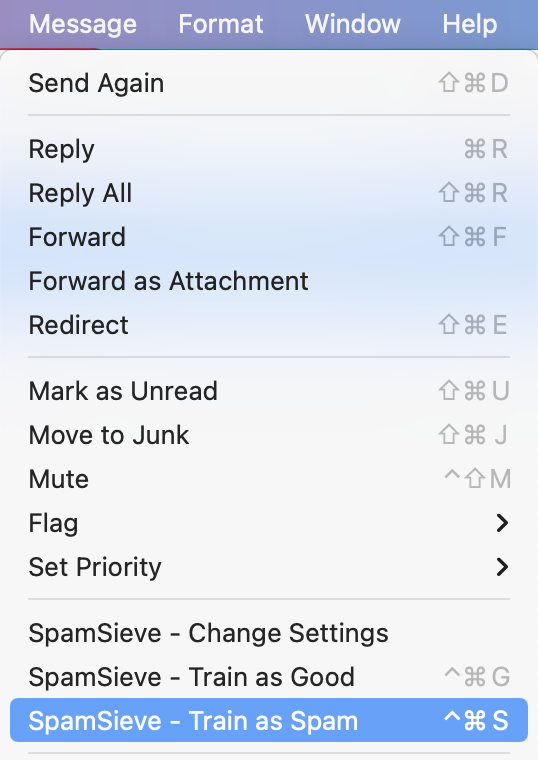
I’ve downloaded the test version and am trying to set it up. I’ve read the training section repeatedly. What I can’t find is how to execute the steps.
I see instructions on how many emails to test with; what percentage of spam to test with; what not to do.
What I don’t see: what am I actually, physically doing? I have x amount of emails in my Mac inbox. The right percentage of them are spam. Do I select them and drag them somewhere? Select them and execute a pulldown command? How do I proceed to train with those selected emails?
I’ve already granted permissions to the app. It doesn’t seem to have a physical presence within Mac Mail. Should I be able to see a folder or other visual cue that the app is installed and ready to train?
I appreciate any help - can’t wait to test this. Thanks!